
 Nederlands
 English
BINSONIC · NAME CHECK
New movies, a clean name straight away
Name Check recognises the movies in an input folder, suggests a clear name with the year and then places them safely in your movie folder, where they appear in Movies right away.
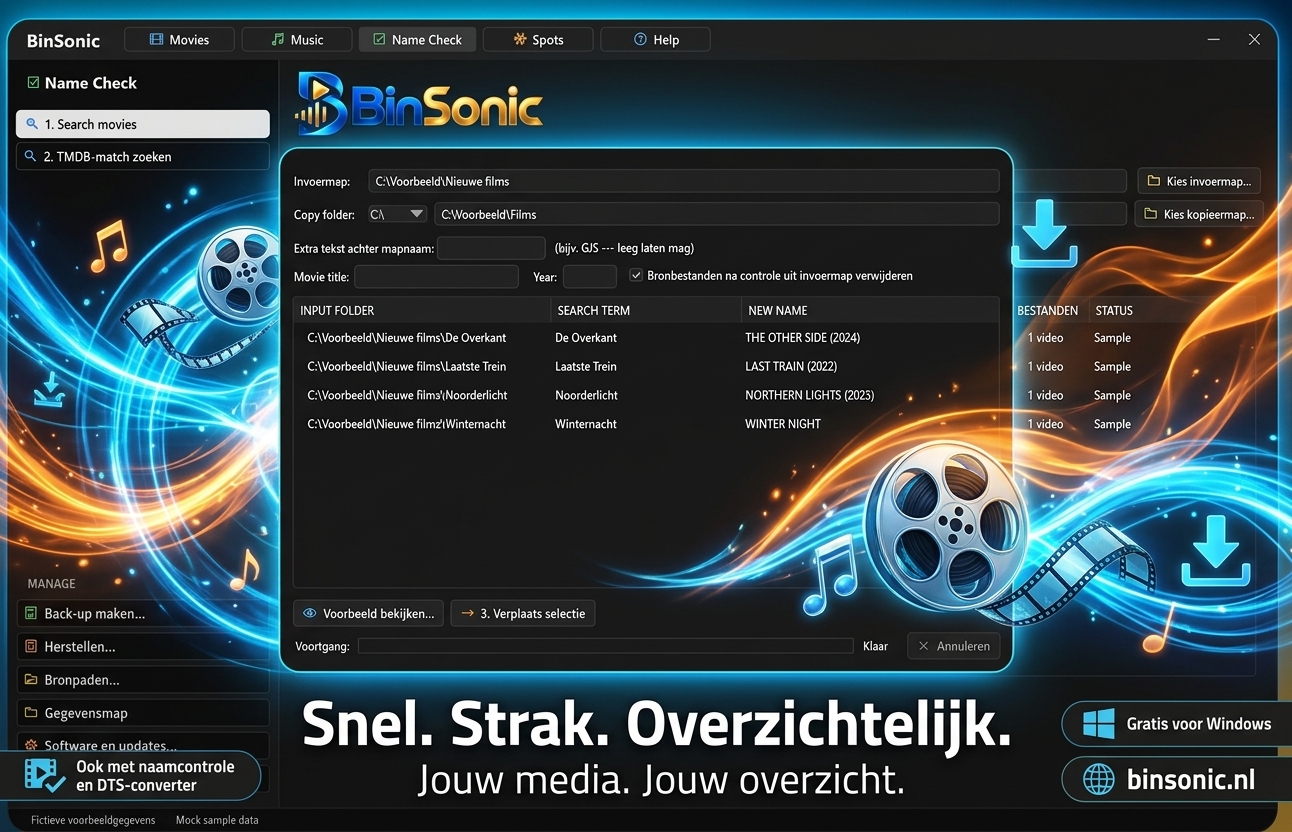
Recognise
Look up title and year on TMDb.
Preview first
See the new names before anything changes.
Place safely
Copy or move, with verification.
DISCOVER THE POSSIBILITIES
More with BinSonic
01 · BINSONIC
Recognising movies
Choose the folder with new movies. BinSonic cleans up the names and looks up title and year on TMDb, using the same key as in Movies. Not sure about a movie? Pick the right one yourself from the titles found.
02 · BINSONIC
You stay in control
Adjust title and year where needed and add your own suffix if you like. Then preview all new folder and file names, and only then apply the changes.
03 · BINSONIC
Copy or move, with verification
Choose whether to copy or move to your movie folder. BinSonic compares the content of every file after placing it, and when moving, the original is only removed once everything checks out. On the same drive, moving is almost instant.
04 · BINSONIC
Straight from Spots
When a download has finished, right-click to send it from Spots to Name Check. That way a movie goes from download to library in one smooth flow. Questions? Visit the forum.
05 · BINSONIC
Watch out for similar titles
Two movies can share a title but have a different year, and a sequel or remake can look like the original. The year is a useful clue; when in doubt, check the other information too. Double-click a row to open its folder.
After placing, BinSonic scans the movie folder straight away, so the movie appears in Movies with its poster and information. If a title is recognised incorrectly, describe on the forum what you see and which title you expected.