
NIEUWS · 01/11/2026
Introducing DTS2CS Converter
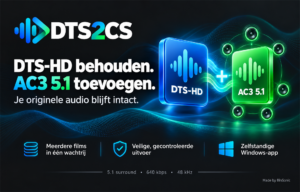
DTS2CS Converter is available for Windows. This standalone BinSonic app adds an AC3 5.1 audio track to your MKV films while preserving the original DTS or DTS-HD audio. It is useful if your TV, soundbar or media player does not support the existing DTS sound.
Choose the audio that works for you
In add mode, the app creates one additional AC3 5.1 track from the first DTS track. All original audio tracks remain unchanged. The new track has six channels, 640 kbps, 48 kHz and a −3 dB level adjustment. Existing default track settings are retained, so select the new AC3 track in your player’s audio menu if needed.
A separate mode converts all audio tracks to AC3 5.1; in this mode the original audio is re-encoded. Video is copied without re-encoding in both modes.
One film or a batch
Choose one MKV, add multiple films or scan a folder. The queue processes one film at a time, showing progress and a clear status for each: green for completed, red for errors and yellow for warnings. You can stop after the current film or cancel processing.
Careful checks and safe saving
By default, DTS2CS creates a separate result in the Geconverteerd folder without overwriting existing results. It checks audio, video, subtitles, chapters and attachments. Replacing the original is a separate choice with confirmation and recovery material, so you remain in control of your files.
Complete Windows setup
Version 1.1.1 is available as a complete installer, DTS2cs.exe, including the required runtime, FFmpeg and FFprobe. No separate tools or commands are needed. The app works independently of a BinSonic catalogue or provider account on 64-bit Windows 10 22H2 or Windows 11.
Explore all DTS2CS features or download the complete setup. A BinSonic account is required for the website download; the app itself works without an account.
Made by BinSonic